

Supported servers
Conditional rules are available for these Barndoor-hosted MCP servers from the MCP server directory:Google Drive
Match files by their Google Drive labels and label options.
Slack
Match messages and posts by channel or channel type.
Before you start
Connect the server’s service account — the organization-level OAuth connection on the server detail page. Barndoor uses it to list live values, such as your Drive labels or Slack channels, while you build a rule. If it isn’t connected, the rule dialog prompts you to connect it.Rule settings
How Applies to and Then combine
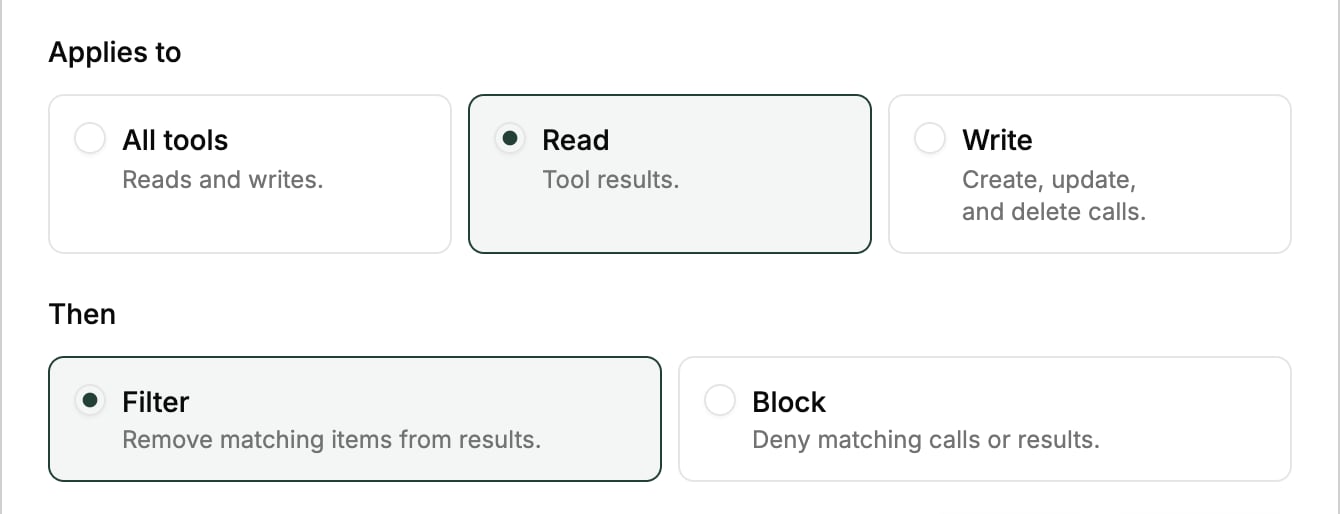
Create a conditional rule
- Navigate to Data Control Center → Field Controls.
- Click Add Conditional Rule.
- Fill in the rule settings, then click Add Rule.