

<SSN:MASKED>. With a mask format, the value keeps its shape: the first or last few characters stay readable and everything else is replaced with a mask character, the way a receipt shows XXXX XXXX XXXX 1234.
Use masking when an agent or a downstream tool still needs to recognise a value without seeing it — matching a support ticket to an account by its last four digits, telling two commit SHAs apart by their prefix, or keeping a record id searchable.
Masking is irreversible. If you need to restore the original value later, use Tokenize instead. If nothing downstream needs the value at all, Redact or Block is the safer choice.
Mask versus Redact and Tokenize
Mask is available on every profile type that reports it under Supported Actions on the Protection Profiles dashboard, and on both MCP policies and LLM policies.
Choose Mask in a policy
Masking is configured per policy, in the Profiles & Action step of the MCP policy wizard or the LLM policy wizard.- Create or edit a policy (MCP Policies).
- In Profiles & Action, select the protection profiles to run.
- Set Action to Mask. The Mask format panel appears under the action.
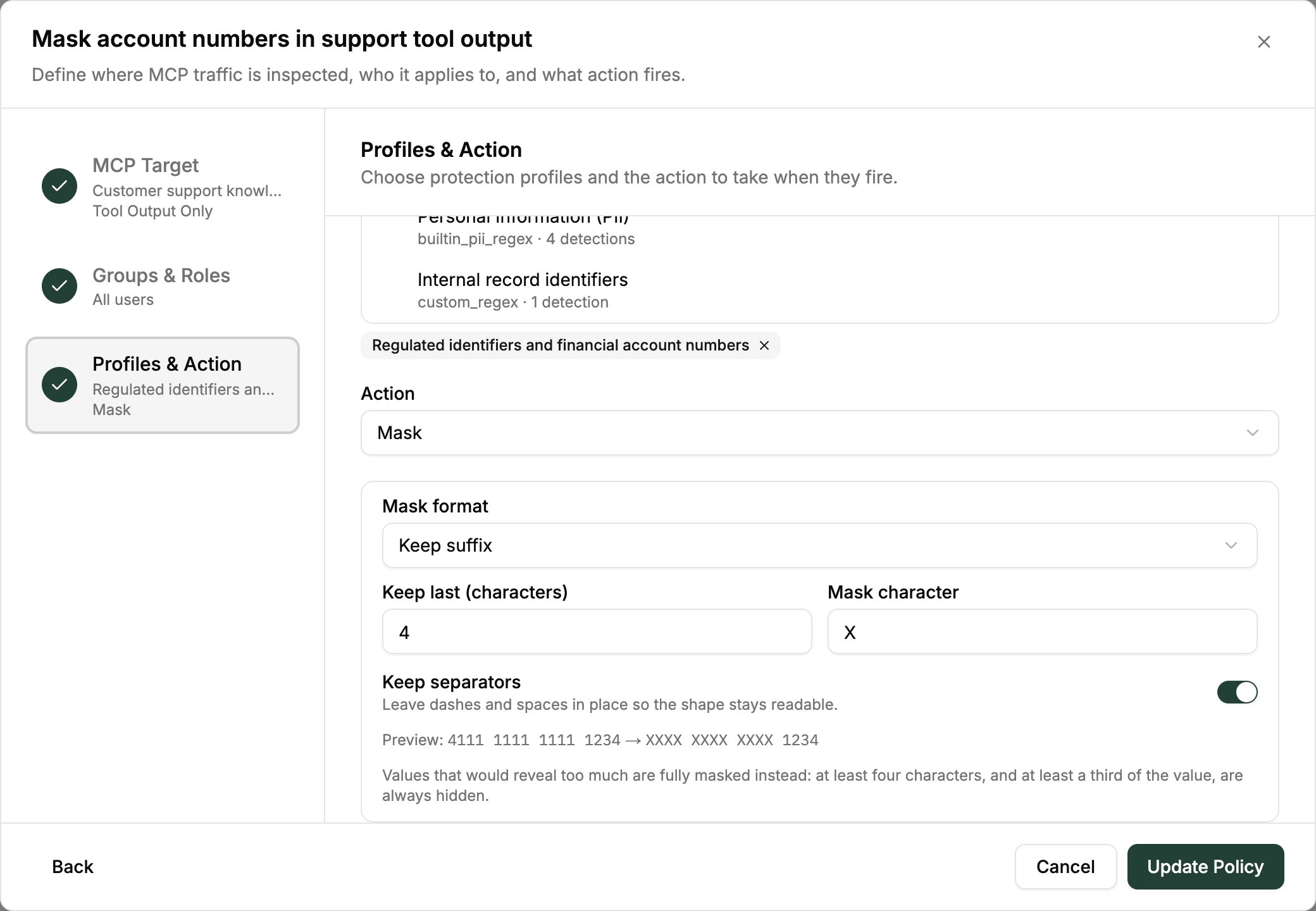
- Choose a Mask format (see below), then save the policy.
Mask formats
Full placeholder
The default. Every detected value becomes<TYPE:MASKED>, where TYPE is the detection type (SSN, CREDIT_CARD, and so on). This is the same behaviour as Redact with a different label, and it is what existing Mask policies do.
Keep suffix
Keeps the last N characters readable and masks the rest. This is the card and SSN convention: the tail is enough to match a record, and the head is what makes the value sensitive.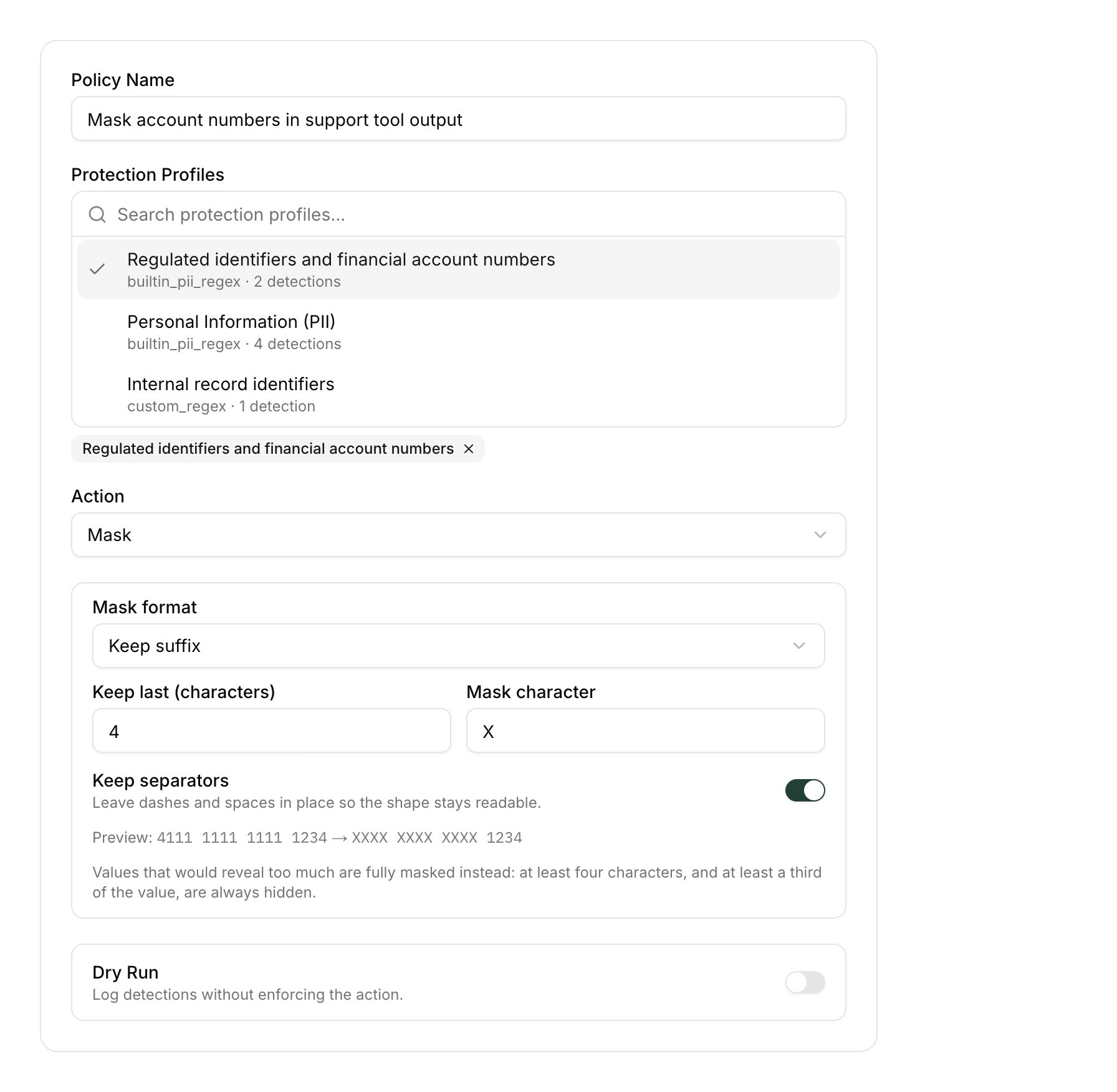
The Preview line shows the format applied to a sample card number, exactly as the runtime would render it.
Keep prefix
Keeps the first N characters readable and masks the rest. Use it for identifiers whose leading part is the meaningful one: a commit SHA, an order or record id with a fixed prefix, an API key’s vendor prefix.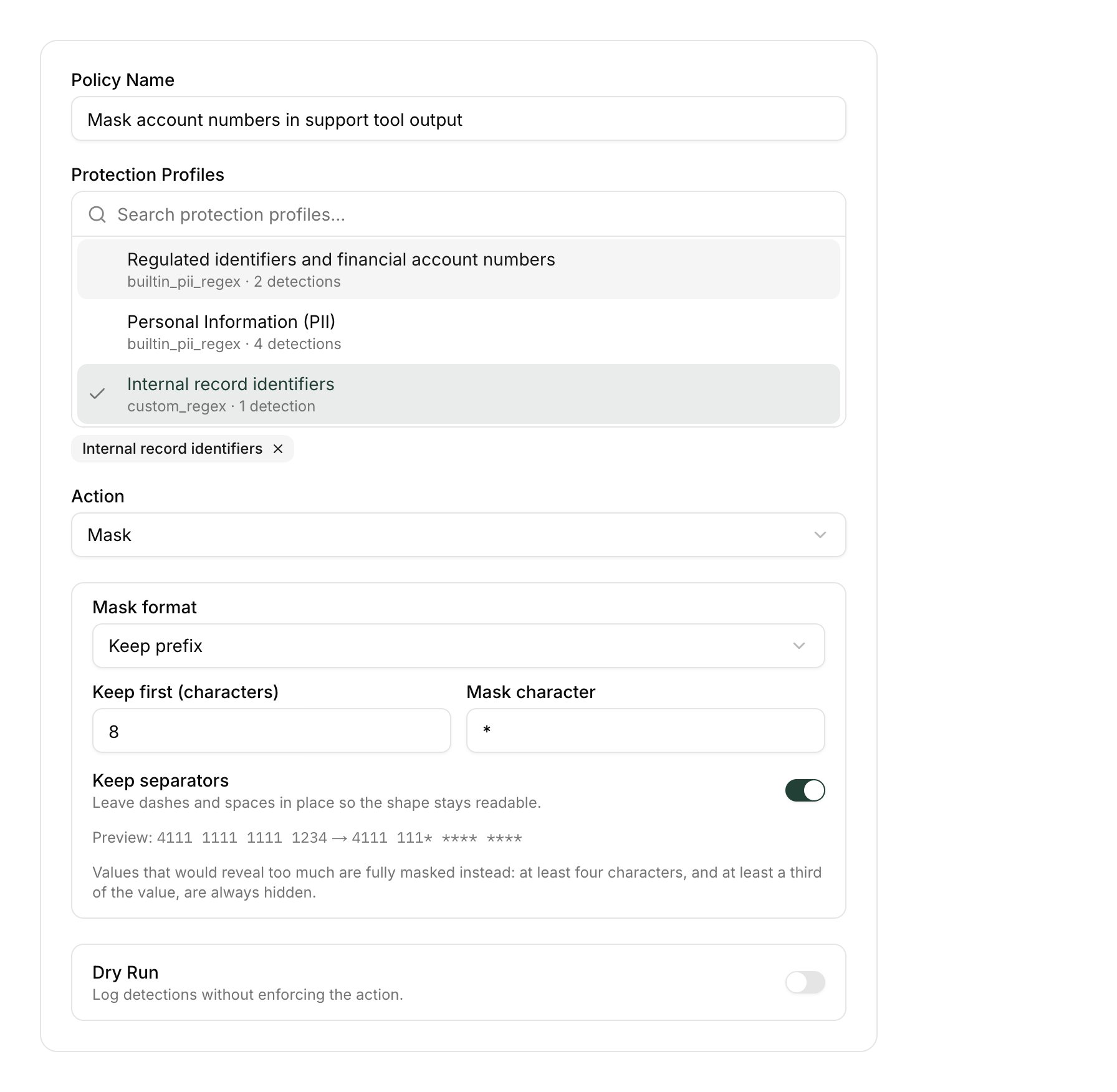
Examples
With Keep separators on andX as the mask character:
Characters are counted the way a person reads them, not as bytes: an accented letter or an emoji is one character.
The masked value is emitted bare, not wrapped in
<…>. That keeps the residue usable in a follow-up tool call, and re-scanning already-masked output with the same policy leaves it unchanged.
What is always fully masked
Two safeguards stop a partial format from revealing more than intended. Both fall back to the full placeholder, never to passing the value through.The reveal floor
A partial format is only applied when enough of the value is actually hidden: at least 4 characters, and at least a third of the value’s letters and digits. Otherwise the whole value becomes<TYPE:MASKED>.
This lets the standard forms through (last-4 of a 9-digit SSN, first-6 and last-4 of a 16-digit card) and rejects the abuses (keep 12 of a 16-digit card, keep 8 of a 10-digit phone number). A format tuned for 40-character SHAs cannot leak most of a short phone number the same profile happens to catch.
Free-text and payload-level types
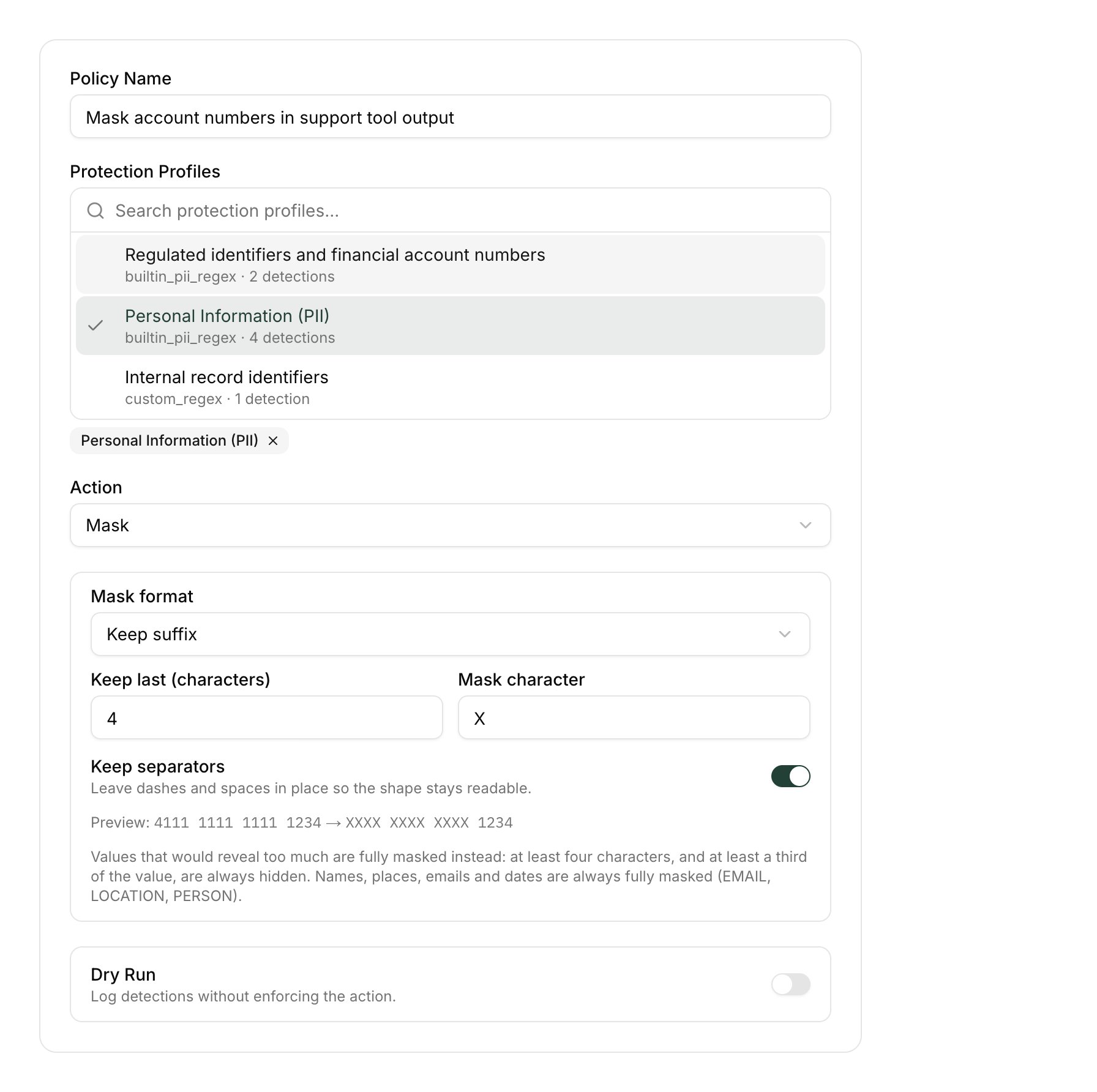
Some detection types have no meaningful prefix or suffix to keep. Values of these types are always fully masked, whatever format the policy sets:- Names, places and addresses —
PERSON,ORGANIZATION,LOCATION,ADDRESS - Emails and dates of birth —
EMAIL,DATE_OF_BIRTH - Passwords — every character is secret; there is no conventional visible tail
- Payload-level verdicts — prompt injection, guardrail interventions, code-execution and obfuscation findings
Custom patterns are full-match
A custom regex detection type always masks the whole match. A pattern such as^(.{8}).*$ does not keep the first eight characters — capture groups are ignored, and the pattern matches the entire line, so the entire line is masked. To keep a prefix, write the pattern to match the identifier itself and set the policy’s mask format to Keep prefix.
Verify a mask policy
- Test Workbench — go to Data Control Center → Test, paste a sample payload, and run the policy. The output shows the masked form the runtime will produce.
- Dry run — turn on Dry Run on the policy to record detections without rewriting anything, then check Detection Activity to see what the policy would mask.
- Audit — each masked finding’s audit record carries how many characters were left readable and whether the reveal floor forced the full placeholder. The revealed text itself is never recorded.
API
The same setting is exposed on the enforcement-policy API as an optionalmask_format object, valid only when action is POLICY_ACTION_MASK:
null, for the full placeholder. Sending a format with any other action is rejected. The detection-type catalog reports partial_mask_eligible for each type.
The Terraform provider’s
enforcement_policy resource does not yet expose mask_format. Configure it through the console or the API until that binding ships.