

- Admin privileges in your Barndoor organization.
- Application details for your agent, including application type (guidance below) and OAuth callback URL(s)
Step-by-step guide
- Go to AI Agents: https://app.barndoor.ai/agents.
- Click Add Agent button (top-right).
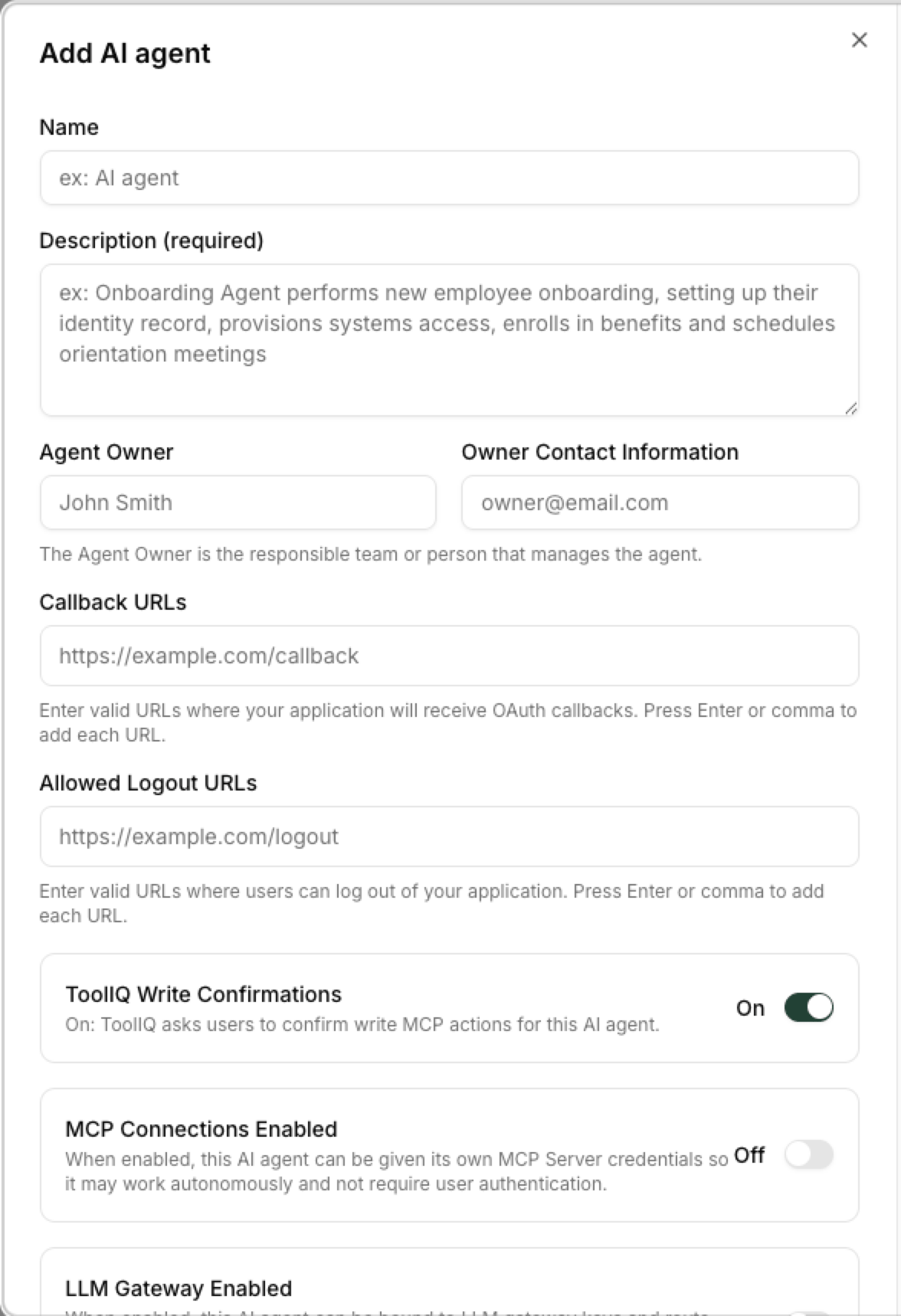
This opens the Add AI agent registration form.
Tip: If you don’t see the button, ensure your user has admin access.
Fill out the registration form
- Name
Clear, human-readable name (e.g.,Snowflake Assistant,Sales Ops Agent). - Description
Short sentence on what the agent does and which services it connects to. - Agent Owner
Name of person or team that is responsible for the agent (optional) - Owner Contact Information
Email address, slack channel, or other contact information for the Agent Owner (optional) - Callback URLs* Enter one or more URLs where Barndoor should send callbacks after users sign in through your Identity Provider or authorize Barndoor to access an MCP server.
- Allowed Logout URLs
One or more URLs where users can be safely redirected after logging out (press Enter after each URL).
Your Agent Credentials
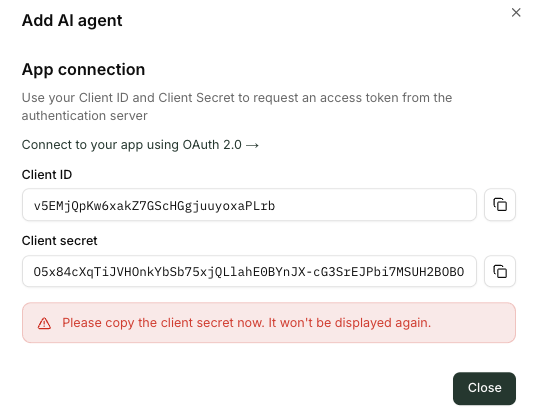
What happens next?
- Your new agent appears in the All Agents list.
- From there you can:
- Configure access policies for the agent by adding the agent to the scope of MCP servers such as Snowflake, Salesforce, and Notion in Access Control Center.
- For Machine to Machine or Autonomous Agents, you can directly connect them to MCPs with service account credentials or LLM models with their virtual keys. See AgentProfiles
- Manage auth settings and rotate credentials if your application type requires it.
- Monitor Active users and Monitored actions over time.