

Prerequisites
Before getting started with Register an MCP server in Barndoor, you’ll need:- A Barndoor account with admin privileges for your organization
- Credentials from your MCP provider to authenticate a Barndoor connection
Tip: To learn how to authenticate Barndoor to an MCP provider, visit the MCP Servers Catalog, select an MCP server, and follow the Setup Instructions. For example: here is how to connect Atlassian’s Rovo MCP server.
Understanding MCP Server Types
When adding a MCP server, you’ll choose from one of three categories.How to Register an MCP Server
- In the Barndoor web UI, navigate to the Admin > MCP Servers section (left nav).
- Click “Add a Server”.
- Select the type of MCP server to add: Barndoor Managed, Official (third-party remote), or Custom (created by your organization).
Option A: Add a Barndoor Managed or Official (remote) MCP server
This is the simplest method, used for adding MCP servers for common enterprise services/platforms.Show details
Show details
- Select either “Barndoor Managed” or “Official (remote) servers”.
- Find the server you wish to add (e.g., Salesforce, GitHub, Atlassian, etc.).
- Click “Add New” (or “Enable”) next to the server
- Provide configuration details for the MCP server.
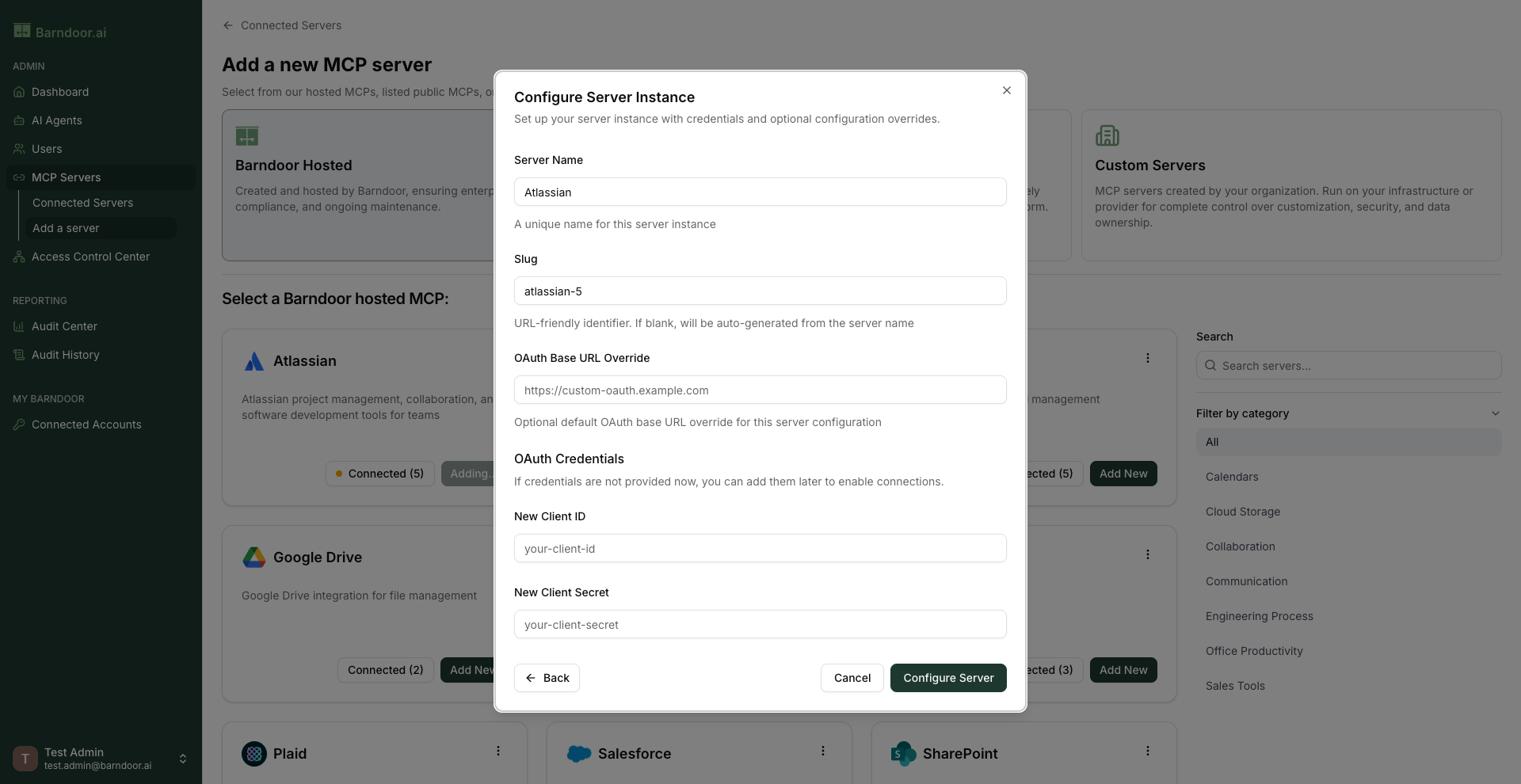
- Server Name: Unique name for the new MCP server.
- Slug: A URL friendly identifier that will be appended to an endpoint URL for connecting to the server.
- OAuth Base URL Override (optional): Allows you to change the root URL used when the OAuth 2.0 authentication flow is performed.
- OAuth Credentials: Client ID and secret for the MCP server that was registered with upstream service.
You are allowed to create multiple instances of MCP server registrations within Barndoor.
Option B: Add a Custom internal or other public remote MCP server
Show details
Show details
Use this method to register a server hosted on your own infrastructure, or any other remotely
accessible MCP server that isn’t already in our lists.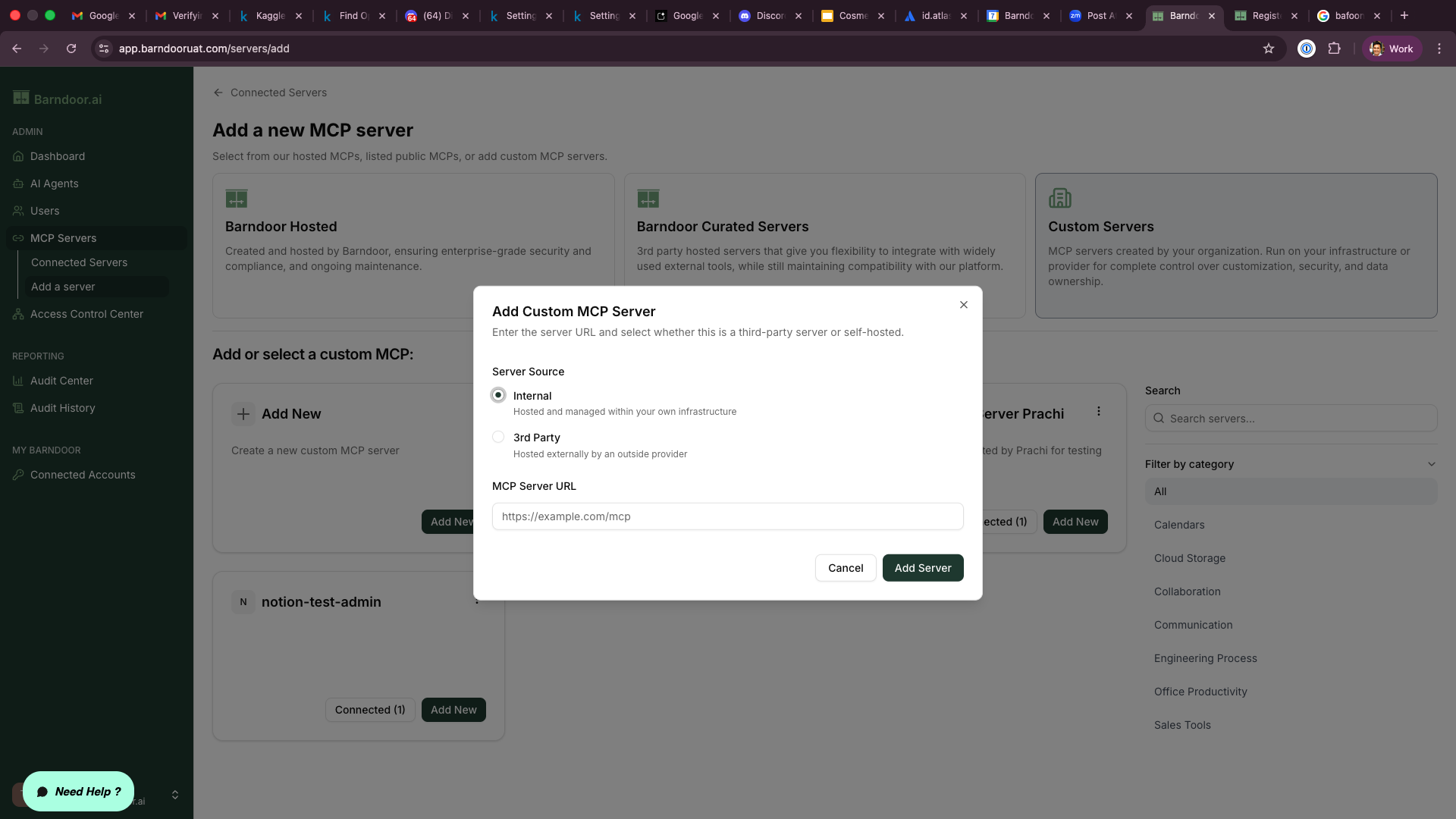
- Select the “Internal Servers” option from the prompt.
- You will see a list of internal servers you have already defined.
- To add a new one, click the “Add Custom MCP” (or “Define New Server”) button.
- Provide connection information for the MCP server:
- Server Source: Choose Internal if hosted and managed on your own infrastructure, or 3rd Party if the server is hosted and managed by an outside provider.
- MCP Server URL: The full URL where the Barndoor Gateway can reach this server (e.g.,
https://mcp.somecompany.com).
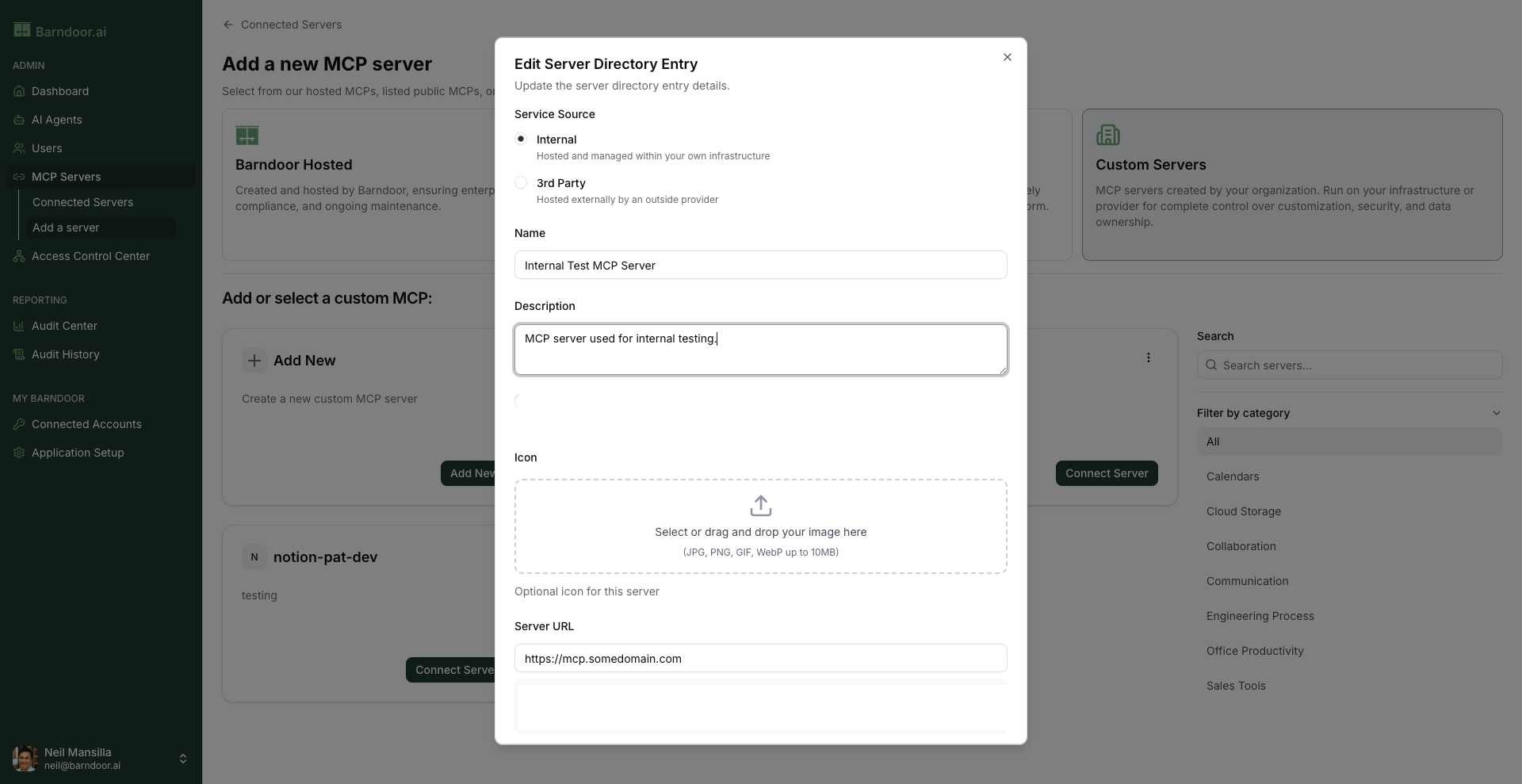
- After clicking “Add Server” provide configuration details fo the MCP server:
- Server Source: Same as last step.
- Name: Unique name for the new MCP server.
- Description: Useful verbose description for this server.
- Icon: Optional icon that’s displayed next to server within Barndoor.
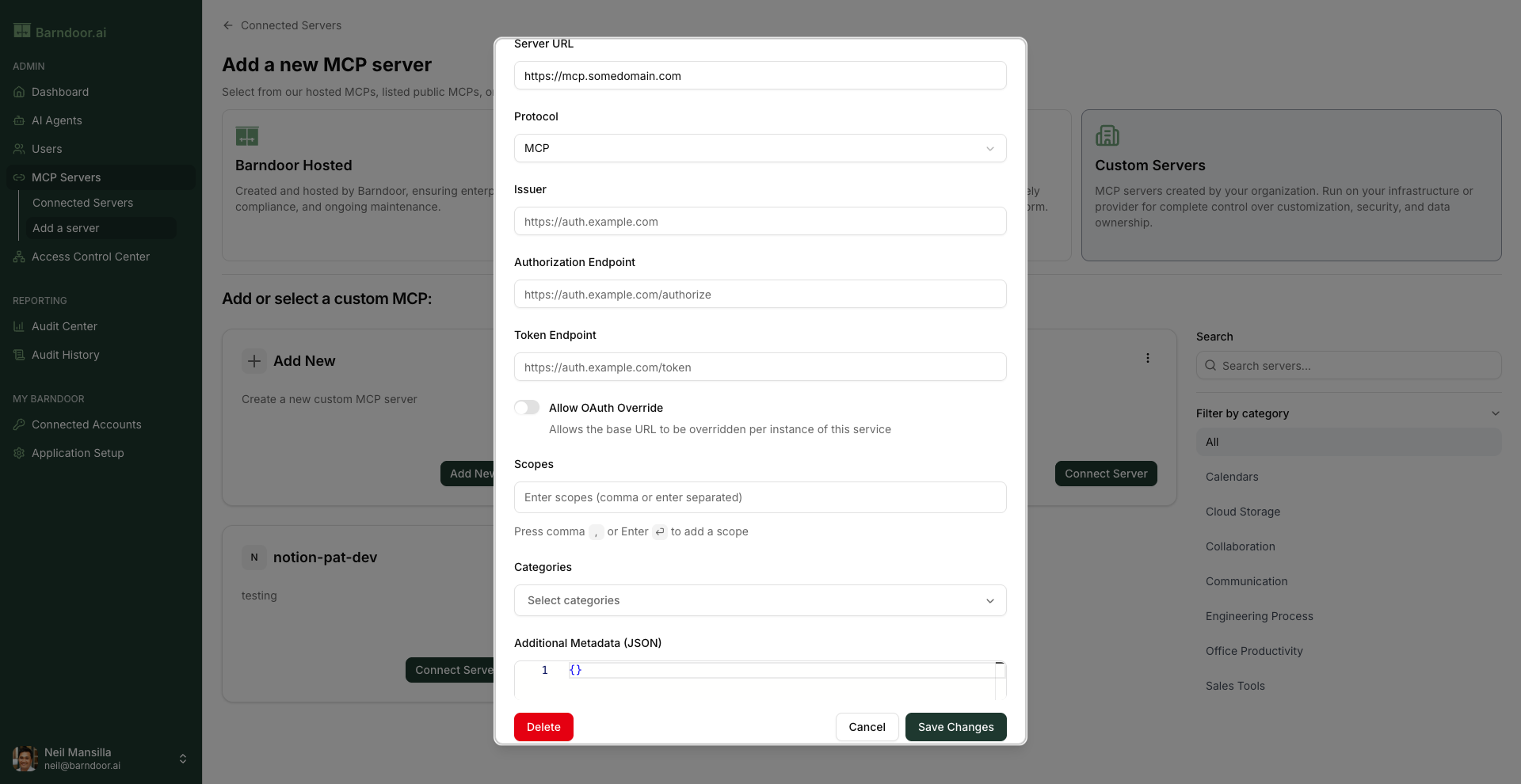
- Server URL: The full URL where the Barndoor Gateway can reach this server (e.g.,
https://mcp.somedomain.com). - Protocol: Choose MCP (Streamable HTTP) or SSE (Server-Sent Events). While SSE is supported, please note that it has been deprecated.
- Issuer: The unique URL of the authorization server for this MCP server.
- Authorization Endpoint: The authorization server’s endpoint URL where a user will be redirected to log in and grant consent. This can either be a relative path to the Issuer URL above, or an absolute (full) endpoint URL.
- Token Endpoint: The authorization server’s endpoint URL that Barndoor will use to exchange an authorization code for an access token. This can either be a relative path to the Issuer URL above, or an absolute (full) endpoint URL.
- Allow OAuth Override: Allows the issuer (base URL) to be overridden per instance of this MCP server.
- Scopes: A list of OAuth scopes (permissions) that Barndoor will request during the authentication flow (e.g., “read:profile read:issues write:comments”)
- Categories: Select one or more categories for this MCP server which is used to improve server discovery.
- Additional Metadata (JSON): Optional field of additional metadata to be passed between MCP clients and servers.