

How it works
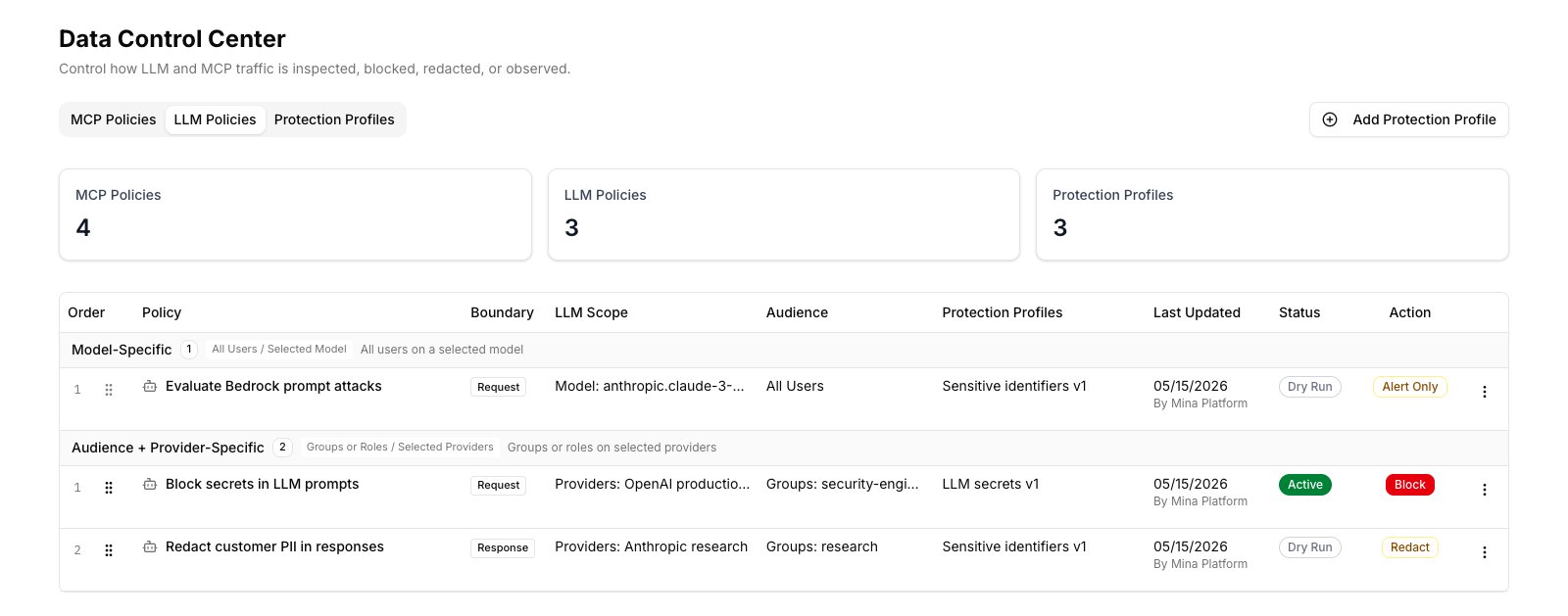
Every prompt sent to an LLM, every response returned, and every MCP tool call — input and output — flows through the platform’s inspection layer. The Data Control Center controls that layer through three building blocks:- Protection Profiles — define what to detect (email addresses, AWS keys, credit cards, custom patterns, etc.)
- MCP Policies and LLM Policies — define where to enforce and what action to take when a detection fires
- Field Controls — define which JSON fields to pass through or remove from specific tool outputs, independently of text-based detection
Core concepts
Protection Profile
A Protection Profile is a named detection engine. It bundles together a set of detection types (e.g., “Social Security Number”, “AWS Secret Access Key”) with the runtime stages it scans and the actions it supports. Profiles are reusable — create one and attach it to many policies. When the detection logic changes, update the profile and all policies using it inherit the change automatically. Built-in profile types:
External providers (AWS Comprehend PII, AWS Bedrock Guardrails) are also available as catalog options.
MCP Policy
An MCP Policy governs what happens when a protection profile’s detections fire on MCP tool calls — the structured calls AI agents make to connected servers (Salesforce, ticketing systems, internal APIs, and so on). Each policy specifies:- Which MCP Server(s) to apply to (or all servers)
- Which Protection Profiles to run
- The action to take when a detection fires
- Optionally, which groups or roles the policy scopes to
Field Controls
Field Controls give you precise, field-level governance over structured tool output — independently of text-based detection. Instead of scanning free text for patterns, you name exact JSON field paths to either remove or allow through. Each rule specifies:- The MCP Server and tool it targets
- The direction (input or output)
- The mode:
- Redact listed — the fields you name are removed; everything else passes through
- Allow only listed — only the fields you name pass through; everything else is removed
- Optionally, which groups or roles the rule scopes to
AnnualRevenue and BillingAddress from Salesforce Account records before an agent in the support group can read them.
Policy actions
Dry run mode
Any policy can be toggled into dry run. In dry run the policy runs and logs detections but does not enforce them. Use this to validate a new policy before making it active. There is also a global dry run that applies to all policies at once.Runtime stages
Enabling the runtime
The global Enabled toggle at the top of the Data Control Center controls whether the inspection layer runs at all. When disabled, no policies execute and all traffic passes through uninspected. Changes take effect within seconds.In this section
Protection Profiles
Create and manage detection engines that define what data to scan for.
MCP Policies
Govern enforcement on MCP tool call traffic.
Field Controls
Field-level JSON redaction for specific tools.
Masking & Partial Redaction
Keep a prefix or suffix readable and mask the rest.