> ## Documentation Index
> Fetch the complete documentation index at: https://docs.barndoor.ai/llms.txt
> Use this file to discover all available pages before exploring further.
# LLM Policies
> Govern enforcement on LLM gateway traffic — prompts and responses flowing between AI agents and LLM providers.
An **LLM Policy** governs what happens when a protection profile's detections fire on traffic between AI agents and **LLM providers** — OpenAI, Anthropic, AWS Bedrock, Azure OpenAI, Vertex AI, and any other provider registered in your LLM Gateway.
At least one [Protection Profile](/how-tos/data-control-center/protection-profiles) must exist before you can create an LLM policy.
## View your LLM policies
Navigate to **Data Control Center → LLM Policies**.
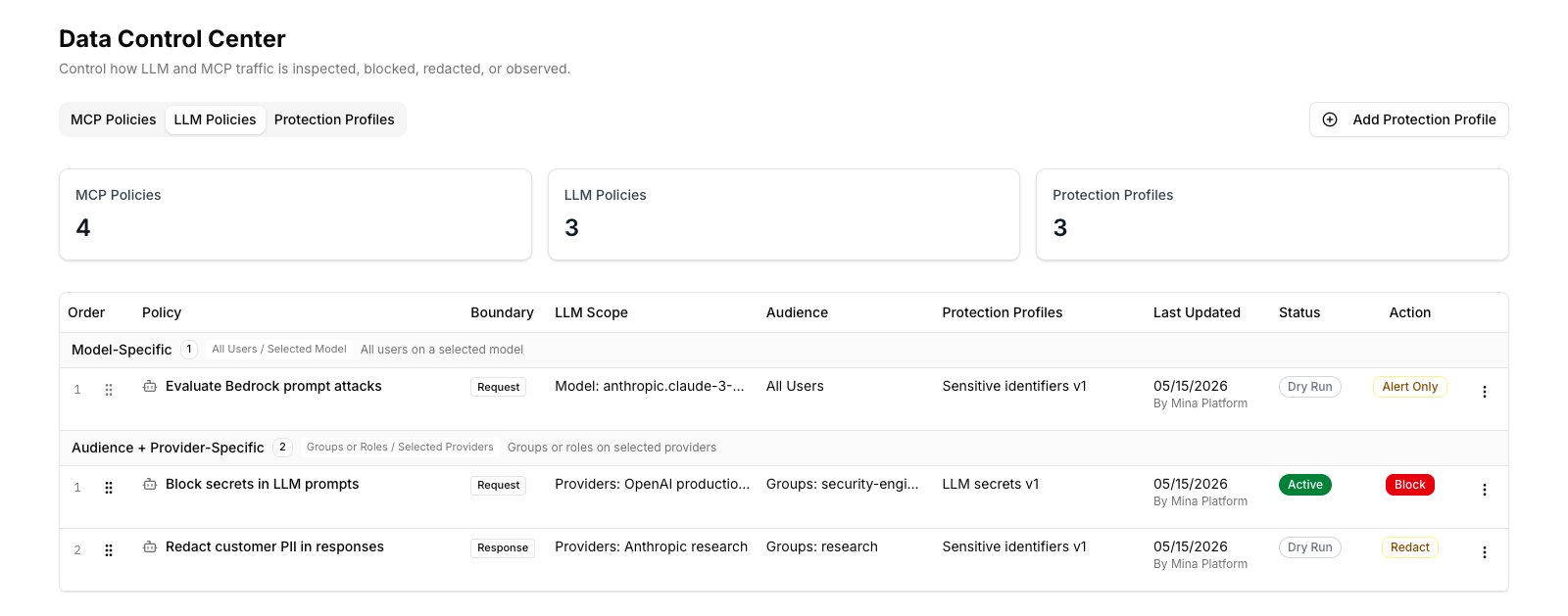 The policy list shows each policy with:
* **Order** / **Priority** — policies execute in priority order
* **Policy name**
* **Boundary** — Request (prompt inspection), Response (response inspection), or Both
* **LLM Scope** — which providers and/or model alias the policy targets
* **Audience** — groups or roles scoped (blank = everyone)
* **Protection Profiles** — detection engines attached
* **Last Updated**
* **Status** — Active or Dry Run
* **Action** — Block, Redact, Alert Only, etc.
Policies group by audience type. **Model-Specific** rows target a particular model alias. **Audience + Provider-Specific** rows scope by group/role and provider.
When many providers or principals are attached to one policy, the list truncates with a `+N` overflow — hover to see the full set.
The policy list shows each policy with:
* **Order** / **Priority** — policies execute in priority order
* **Policy name**
* **Boundary** — Request (prompt inspection), Response (response inspection), or Both
* **LLM Scope** — which providers and/or model alias the policy targets
* **Audience** — groups or roles scoped (blank = everyone)
* **Protection Profiles** — detection engines attached
* **Last Updated**
* **Status** — Active or Dry Run
* **Action** — Block, Redact, Alert Only, etc.
Policies group by audience type. **Model-Specific** rows target a particular model alias. **Audience + Provider-Specific** rows scope by group/role and provider.
When many providers or principals are attached to one policy, the list truncates with a `+N` overflow — hover to see the full set.
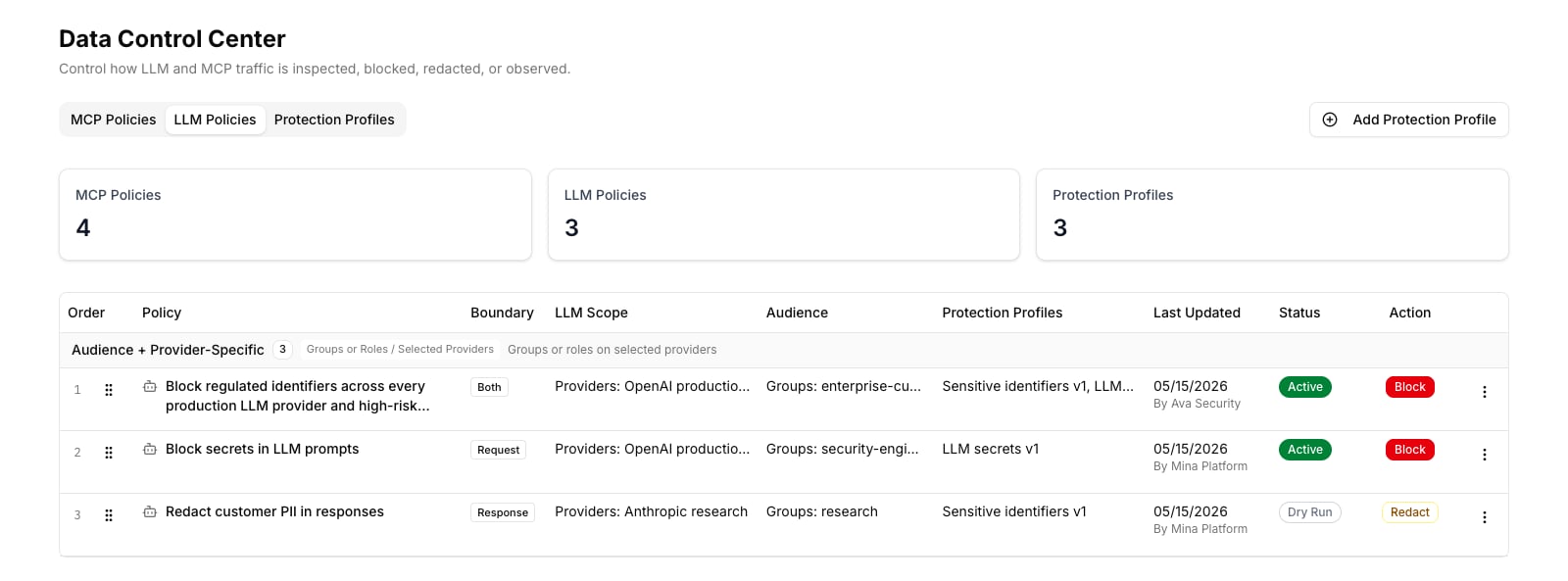 ## Create a policy
1. Click **New policy** at the top of the LLM Policies tab.
2. **Name** — a clear name describing what the policy protects. For example:
* *Block secrets in LLM prompts*
* *Redact customer PII in responses from the research team*
3. **LLM Traffic** — choose which LLM providers this policy covers:
* **All Providers** — applies to every provider in your gateway
* **Specific Providers** — select from the registered providers list
## Create a policy
1. Click **New policy** at the top of the LLM Policies tab.
2. **Name** — a clear name describing what the policy protects. For example:
* *Block secrets in LLM prompts*
* *Redact customer PII in responses from the research team*
3. **LLM Traffic** — choose which LLM providers this policy covers:
* **All Providers** — applies to every provider in your gateway
* **Specific Providers** — select from the registered providers list
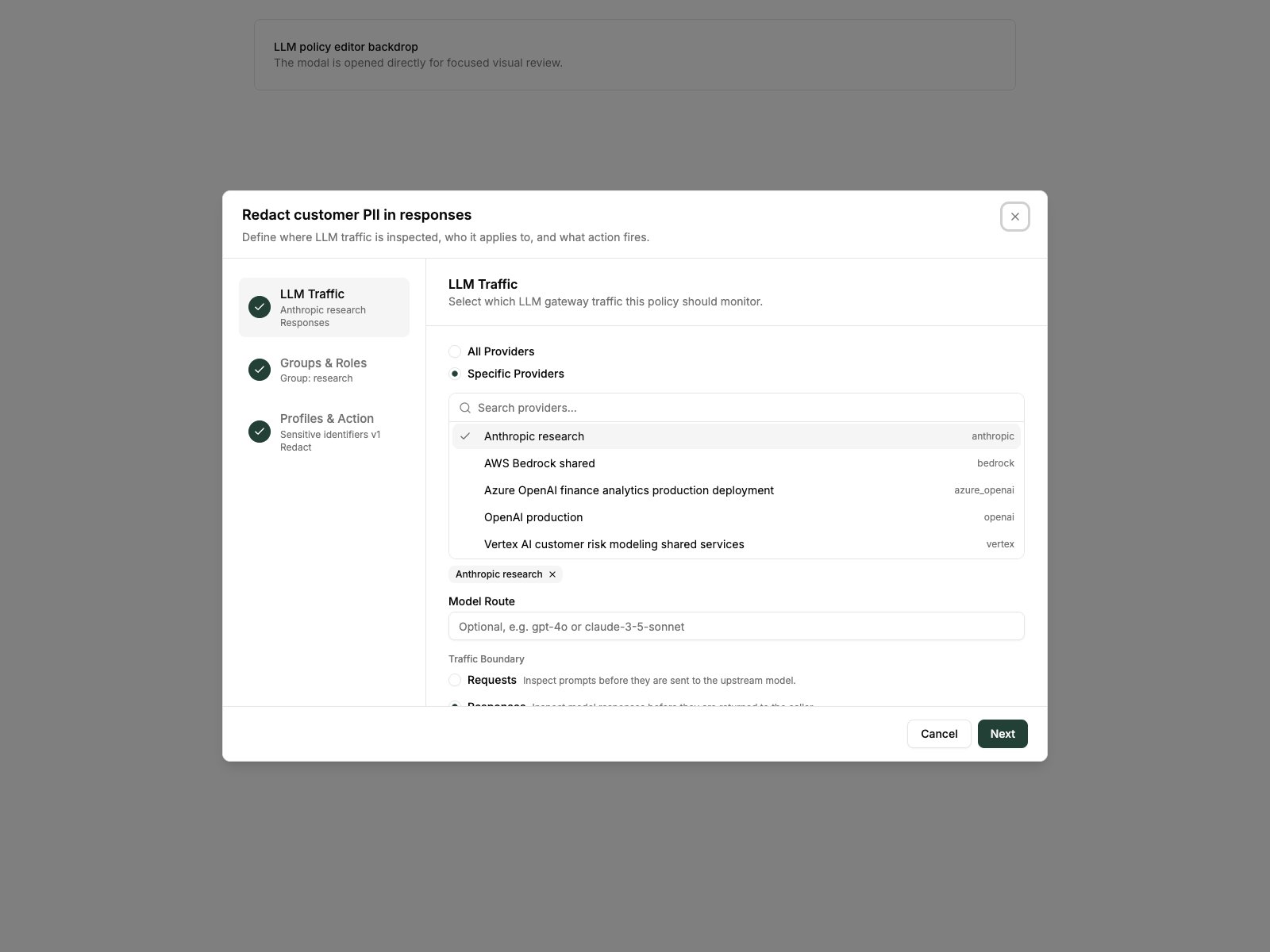 4. **Model Route (optional)** — narrow the policy to a specific model alias (e.g., `gpt-4o` or `anthropic.claude-3-5-sonnet`). Leave blank to apply to all models on the selected providers.
5. **Traffic Boundary** — choose which direction to inspect:
* **Requests** — inspect prompts before they are sent to the LLM
* **Responses** — inspect responses before they are returned to the agent
* **Both** — inspect in both directions
6. **Groups & Roles (optional)** — restrict the policy to specific principals. Leave blank to apply to everyone.
7. **Profiles & Action** — select one or more protection profiles, then choose the enforcement action (Block, Redact, Tokenize, Alert Only, Bypass).
8. **Dry run** — toggle on to observe without enforcing.
9. Click **Save**.
## When the runtime is disabled
If the DLP runtime is globally disabled, the policy list shows a warning banner and no enforcement occurs regardless of individual policy settings.
4. **Model Route (optional)** — narrow the policy to a specific model alias (e.g., `gpt-4o` or `anthropic.claude-3-5-sonnet`). Leave blank to apply to all models on the selected providers.
5. **Traffic Boundary** — choose which direction to inspect:
* **Requests** — inspect prompts before they are sent to the LLM
* **Responses** — inspect responses before they are returned to the agent
* **Both** — inspect in both directions
6. **Groups & Roles (optional)** — restrict the policy to specific principals. Leave blank to apply to everyone.
7. **Profiles & Action** — select one or more protection profiles, then choose the enforcement action (Block, Redact, Tokenize, Alert Only, Bypass).
8. **Dry run** — toggle on to observe without enforcing.
9. Click **Save**.
## When the runtime is disabled
If the DLP runtime is globally disabled, the policy list shows a warning banner and no enforcement occurs regardless of individual policy settings.
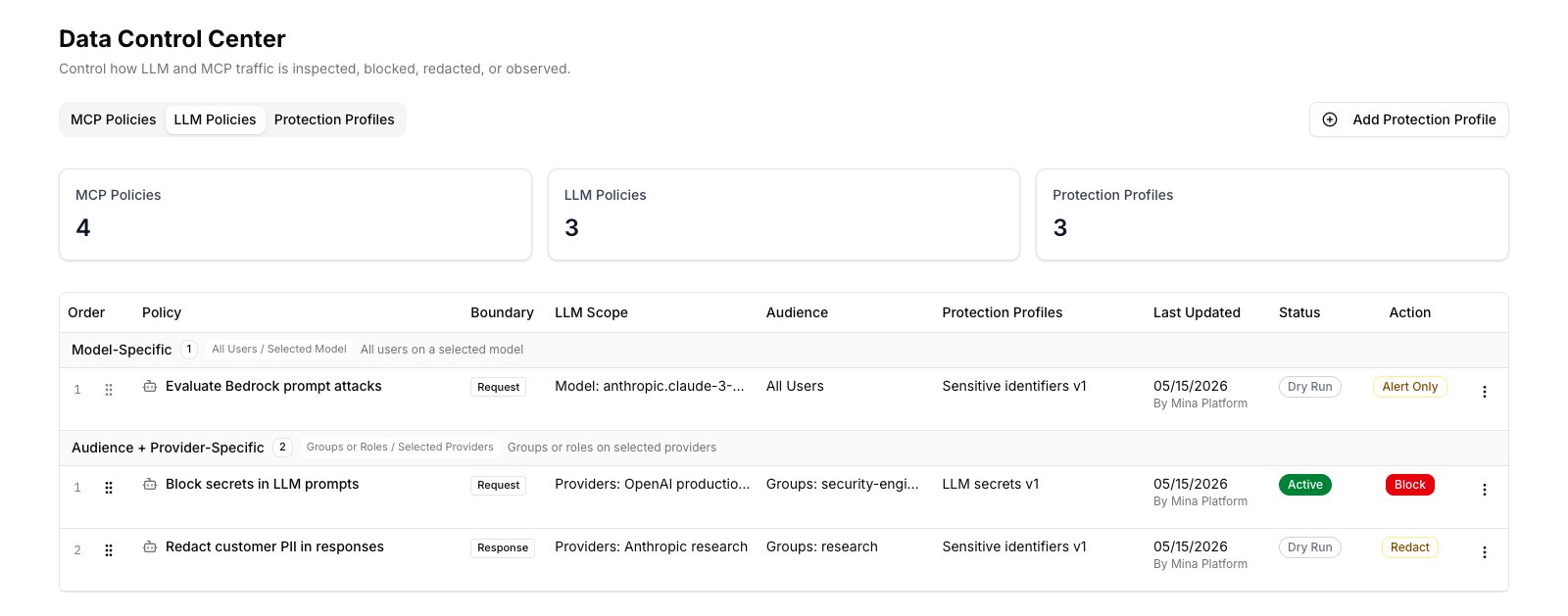 To enable the runtime: navigate to the Data Control Center settings and toggle **Enabled** on.
## Edit a policy
1. Find the policy in the list.
2. Click **⋮ → Edit** on the policy row to reopen the wizard.
3. Update any field — provider selection, boundary, groups, profiles, or action.
4. Save. Changes take effect within seconds.
## Change policy priority
Drag a policy row using the **⠿** handle to reorder within its group. Lower order numbers run first. The order saves immediately.
## Delete a policy
1. Click **⋮ → Delete** on the policy row.
2. Confirm. The policy stops enforcing immediately. Historical audit events are preserved.
## Test a policy
### Using dry run
Turn on dry run before activating a new policy. Let real agent traffic flow through, then check **Detection Activity** to see what would have been caught. When coverage looks correct, edit the policy and disable dry run to start enforcing.
### Using the Test Workbench
For controlled testing:
1. Navigate to **Data Control Center → Test**.
2. Choose **LLM** mode, select a provider and boundary.
3. Paste a sample prompt or response payload.
4. Run the test and inspect which policies matched and what the processed output looks like.
### Verifying in the Audit Center
1. Go to **Audit Center → filter by Event type: Data Protection**.
2. Filter by **Provider** to see only events for a specific LLM provider.
3. Each row shows the policy name, detection type, boundary (Request / Response), provider, model alias (if scoped), and principal context.
## Common patterns
**Block secrets in every prompt, globally:**
* Providers: All Providers
* Boundary: Requests
* Profiles: Secrets detection profile
* Action: Block
**Redact PII from responses for the research group:**
* Providers: Anthropic (or specific)
* Boundary: Responses
* Groups: `research`
* Profiles: Sensitive identifiers profile
* Action: Redact
**Monitor for prompt injection on a new Bedrock deployment:**
* Providers: AWS Bedrock shared
* Boundary: Requests
* Profiles: Prompt Injection profile
* Action: Alert Only
* Dry run: on initially
To enable the runtime: navigate to the Data Control Center settings and toggle **Enabled** on.
## Edit a policy
1. Find the policy in the list.
2. Click **⋮ → Edit** on the policy row to reopen the wizard.
3. Update any field — provider selection, boundary, groups, profiles, or action.
4. Save. Changes take effect within seconds.
## Change policy priority
Drag a policy row using the **⠿** handle to reorder within its group. Lower order numbers run first. The order saves immediately.
## Delete a policy
1. Click **⋮ → Delete** on the policy row.
2. Confirm. The policy stops enforcing immediately. Historical audit events are preserved.
## Test a policy
### Using dry run
Turn on dry run before activating a new policy. Let real agent traffic flow through, then check **Detection Activity** to see what would have been caught. When coverage looks correct, edit the policy and disable dry run to start enforcing.
### Using the Test Workbench
For controlled testing:
1. Navigate to **Data Control Center → Test**.
2. Choose **LLM** mode, select a provider and boundary.
3. Paste a sample prompt or response payload.
4. Run the test and inspect which policies matched and what the processed output looks like.
### Verifying in the Audit Center
1. Go to **Audit Center → filter by Event type: Data Protection**.
2. Filter by **Provider** to see only events for a specific LLM provider.
3. Each row shows the policy name, detection type, boundary (Request / Response), provider, model alias (if scoped), and principal context.
## Common patterns
**Block secrets in every prompt, globally:**
* Providers: All Providers
* Boundary: Requests
* Profiles: Secrets detection profile
* Action: Block
**Redact PII from responses for the research group:**
* Providers: Anthropic (or specific)
* Boundary: Responses
* Groups: `research`
* Profiles: Sensitive identifiers profile
* Action: Redact
**Monitor for prompt injection on a new Bedrock deployment:**
* Providers: AWS Bedrock shared
* Boundary: Requests
* Profiles: Prompt Injection profile
* Action: Alert Only
* Dry run: on initially